
Skip to content

Workforce cost tracking for contractors

Every dinar,on the record.

Sijil turns daily site work into payroll you can sign off. Entered on site, approved in the office, locked at month end — in Arabic or English, with or without signal.

  • 30-minute call
  • Arabic or English
  • No obligation
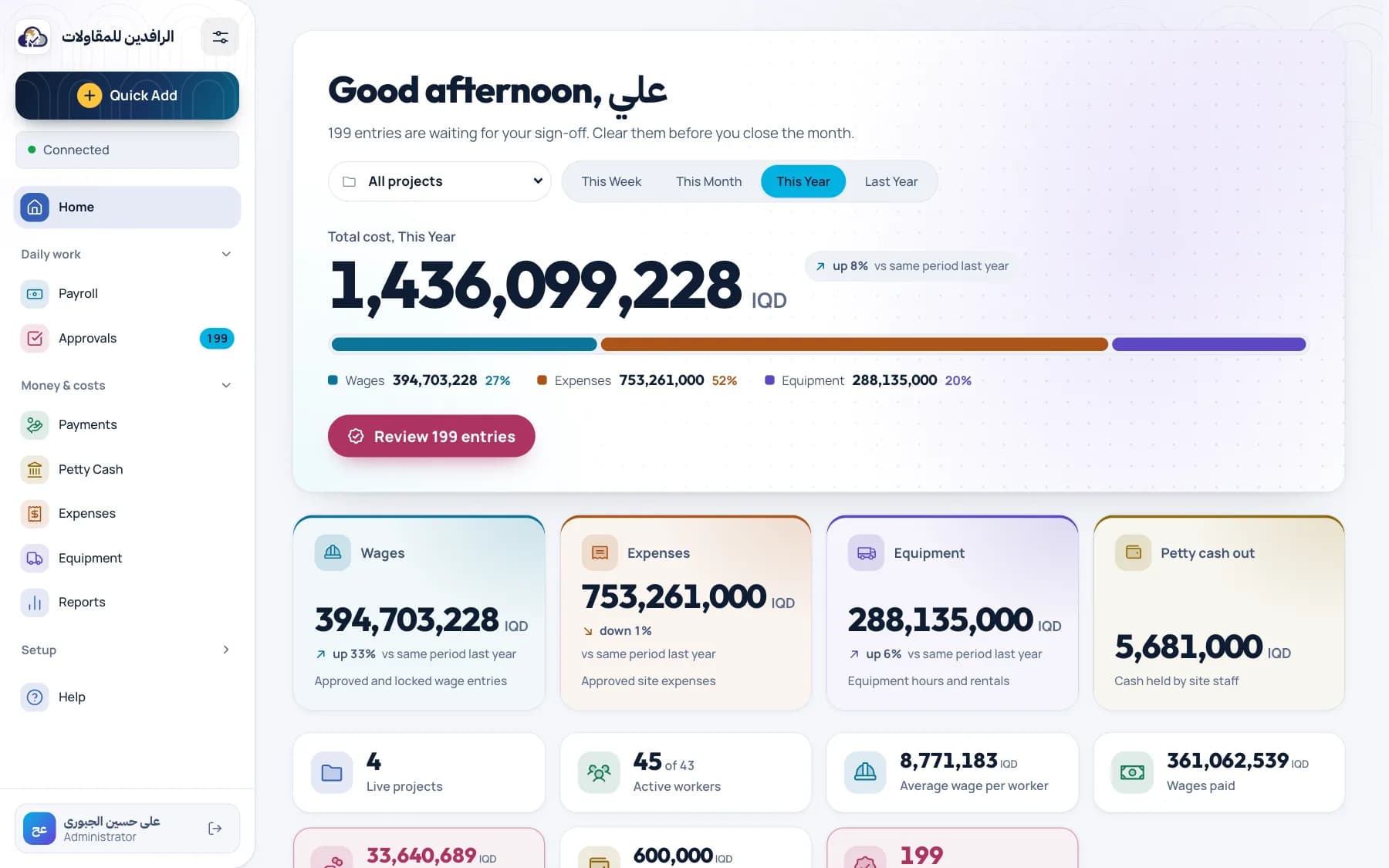
Sijil dashboard showing payroll, expenses, petty cash and pending approvals for the year

Pick your problem. See how Sijil handles it.

Five situations contracting teams bring to every demo, and what changes once the work goes into Sijil.

Today

Forty workers on a remote site. Attendance lives on paper until someone drives to town and reads it out over the phone.

TodayWith Sijil
Steps from site to approval41
Signal needed to log a dayRequiredNone
Rate appliedToday's rateThat day's rate

With Sijil

  1. Pick the project and log each worker’s day on your phone, signal or not.
  2. Entries wait on the device and show as “waiting to sync”.
  3. Back in coverage, they sync and land in the approval queue.

What you getWages recorded the same day, at the rate that applied that day.
The old way

Payday shouldn’t start with a notebook.

Most contracting teams run labour costs across three places that never agree. By month end, someone spends days reconciling them.

A notebook in the foreman’s truck

Days worked, written in pen, read out over the phone.

Timesheet photos on WhatsApp

Scattered across chats, impossible to total, easy to lose.

A spreadsheet one person understands

Formulas nobody else dares to touch, and no history of who changed what.

Sijil replaces all three with one record that the site, the office and the owner read the same way.

How it works

Five states. One version of the truth.

Every payroll line and expense moves through the same path. Everyone can see where it is, and nothing skips a step.

Draft

Step 1 / 5 · Site accountant

Log days, hours or a fixed cost against a worker and a project. Sijil applies the rate that was valid on that date — not today’s.

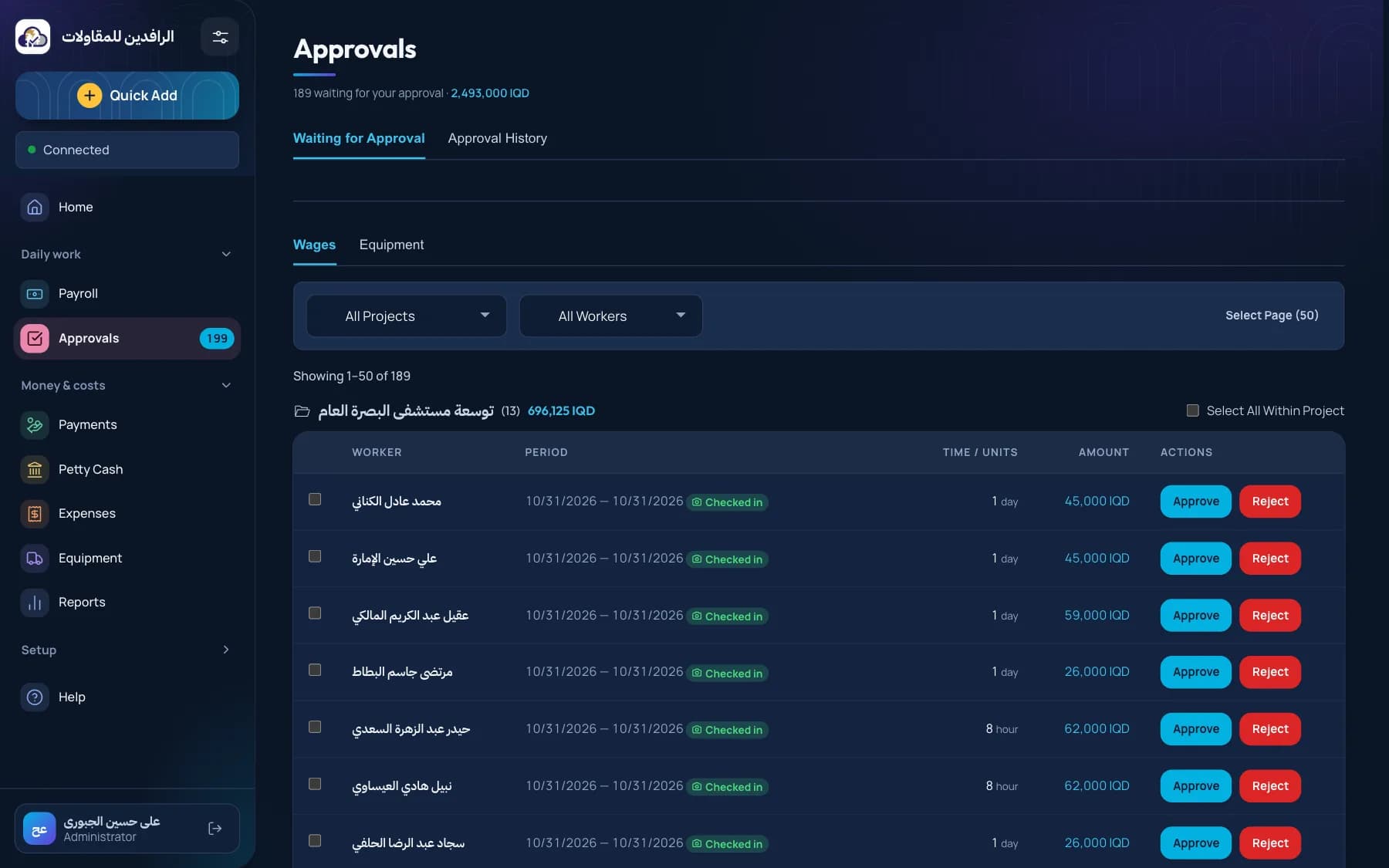
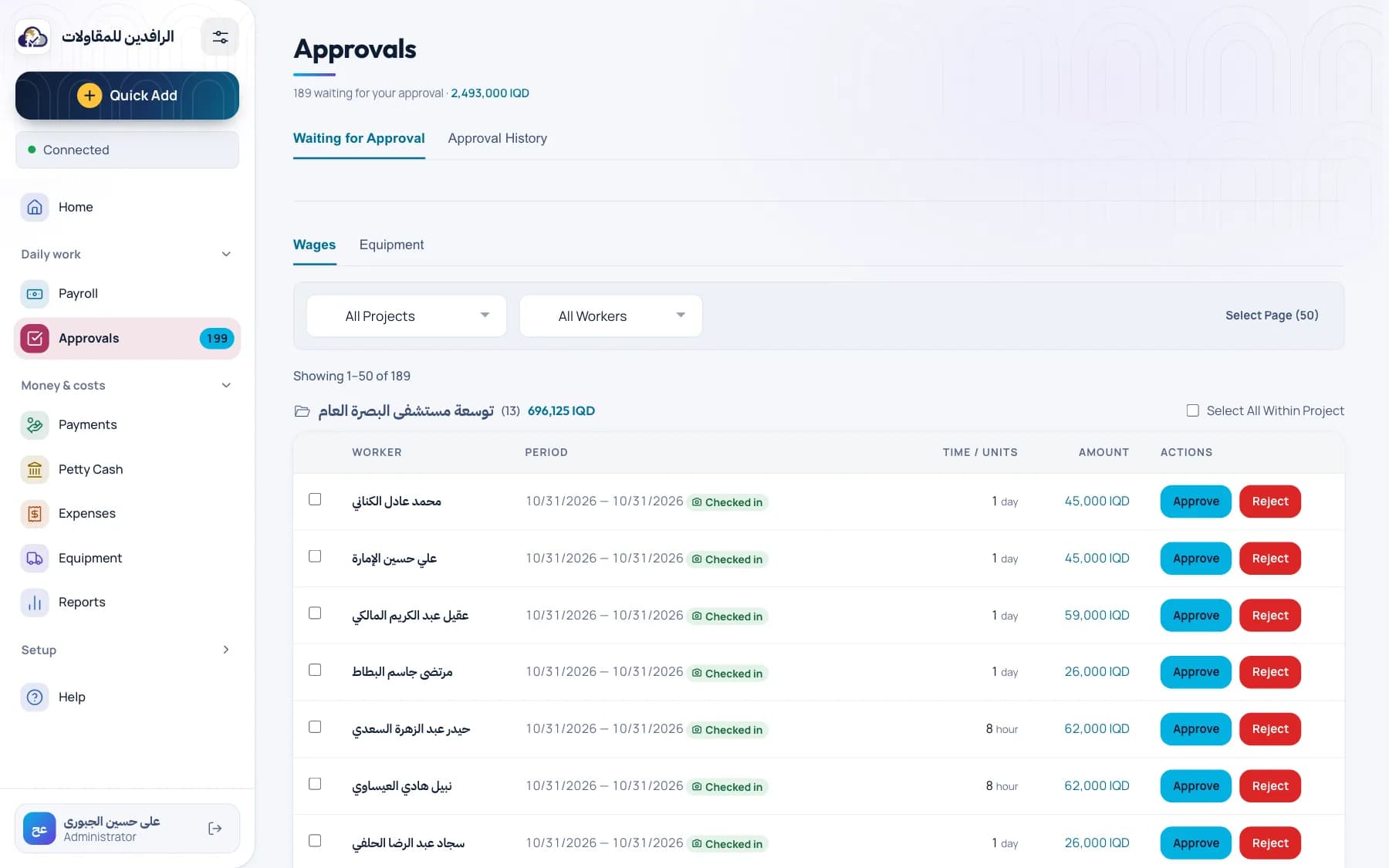
Sijil approvals queue grouping submitted entries by project with totals

Product

Everything a site costs, in one ledger.

Labour is only part of the bill. Sijil keeps petty cash, equipment and small expenses in the same place, under the same approvals.

Payroll that remembers the rate

Pay by the day, hour, week or month. Rate changes keep their history, so March is always paid at March’s rate.

Petty cash you can audit

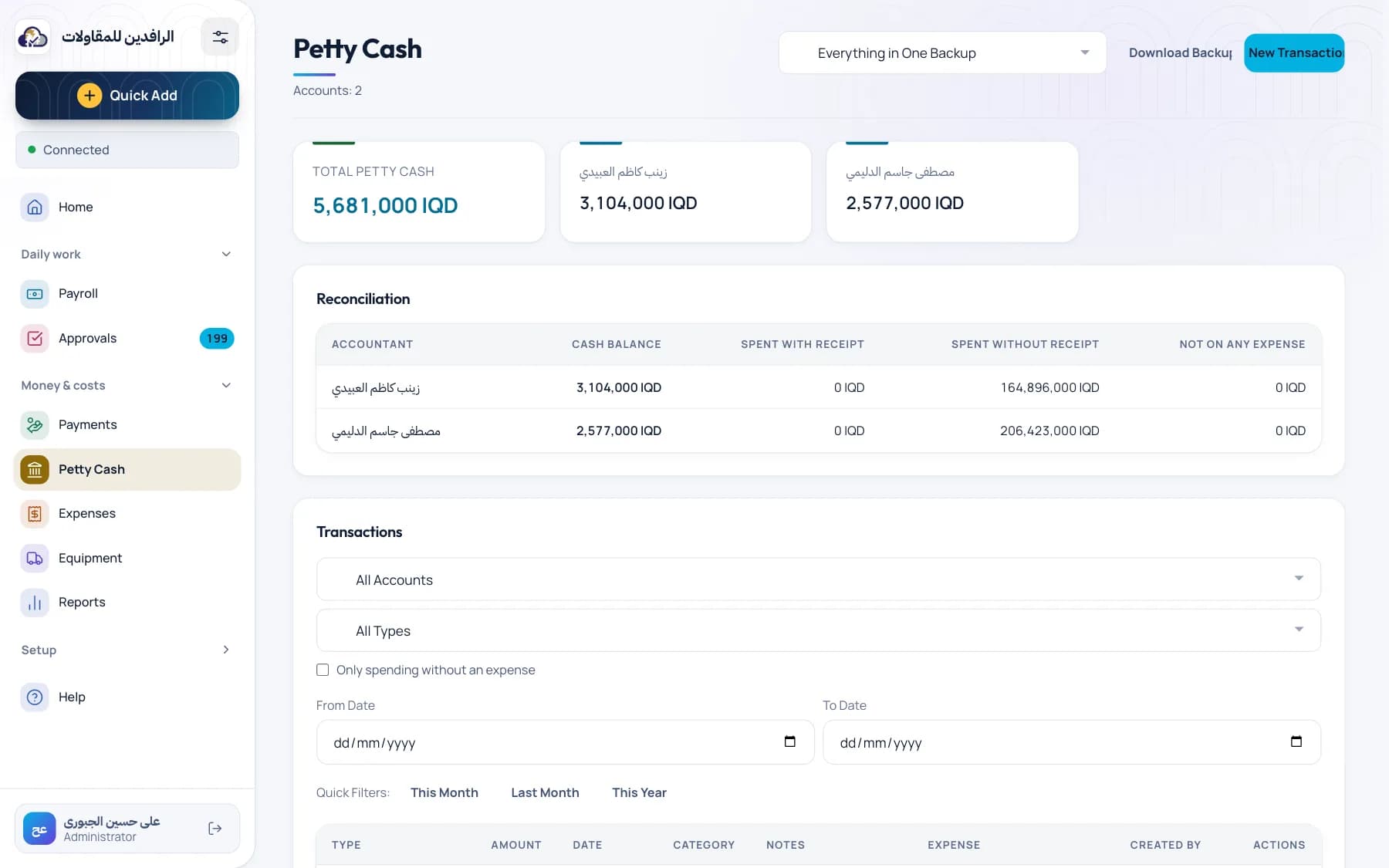
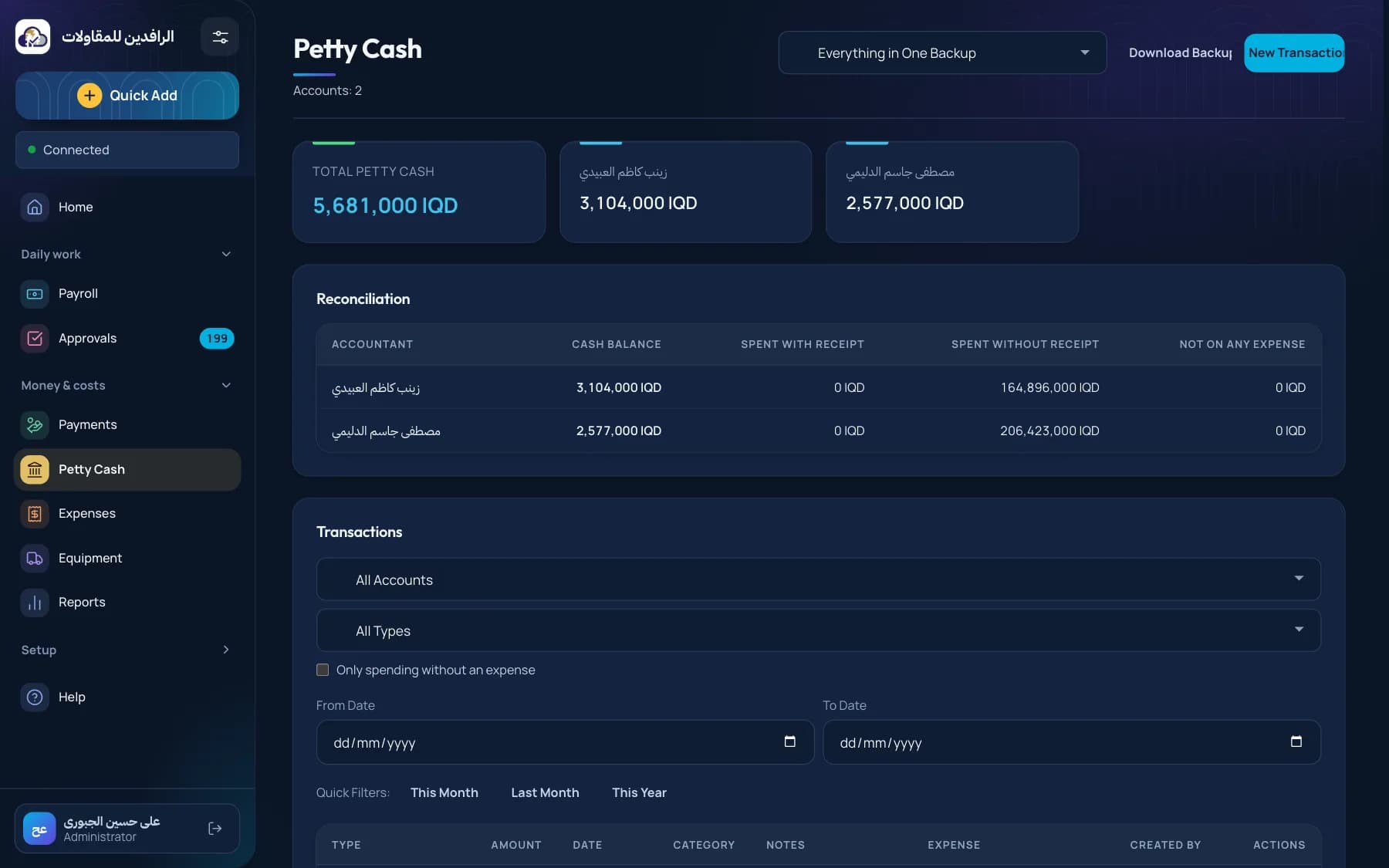
Give each accountant a custody balance. Every top-up and spend is a ledger line, and mistakes are reversed — never erased.

Sijil petty cash screen with balances per accountant and a ledger of credits and debits

Equipment, costed properly

Hourly, daily or fixed-cost machinery, totalled per project.

Small expenses, same rules

Receipts attached, same approval path as payroll.

Reports in one click

By worker, project or month. Export to Excel or PDF.

The right eyes on each project

Admins approve and close months. Accountants see only the projects assigned to them.

A trail for every change

Who created, changed, approved or rejected what — and when.

Offline

No signal on site? Keep working.

Construction sites don’t come with reliable internet. Sijil saves entries on the device and syncs them when the connection comes back.

  • Queue shows exactly what hasn’t synced yet
  • Fonts and screens load without the internet
  • Installs to the home screen like an app
Connection
  • Day entry #3
  • Day entry #2
  • Day entry #1

All entries synced

Try it: switch to offline, log a few entries, then come back online.

Arabic first

Right-to-left first. English when you need it.

Sijil was designed in Arabic, not translated into it. Each person picks their own language and theme, and every screen follows.

  • Every screen in Arabic and English
  • Each user keeps their own language and theme
  • Dinar amounts formatted for the language you read
Payroll entriesMansour Residential
Ahmed Mohammed Ali3 days225,000 IQD
Hassan Abdulkarim2 days160,000 IQD
Karim Fadhil Hassan8 hours88,000 IQD
Total473,000 IQD
4
rate types: daily, hourly, weekly, monthly
5
entry states, from draft to locked
2
languages, right-to-left first
0
bars of signal needed to log work

Control

Closed means closed.

Payroll is money. Sijil treats it that way.

Month close

Lock a project-month once every entry is approved. Totals stop moving.

Role-based access

Admins, accountants and their assigned projects — nothing more.

Session controls

Short-lived sign-ins, real logout, optional device limits and inactivity timeout.

Your data, exportable

Download a full backup or any report, whenever you want.

Getting started

From first call to first locked month.

  1. 01

    Book a 30-minute demo

    We walk through Sijil with your own projects in mind, in Arabic or English.

  2. 02

    Bring your crew list and rates

    Projects, workers and their rates are all you need to start.

  3. 03

    Log a week, close a month

    Your site accountant logs work, you approve it, and the month locks clean.

FAQ

Questions we hear on site visits.

Does Sijil work without internet?

Yes. Entries are saved on the device and sync when the connection returns. The sync indicator always shows what is still waiting.

Can every accountant see every project?

No. Accountants only see the projects assigned to them. Admins see everything and are the only ones who approve and close months.

What happens when a worker’s rate changes?

You add the new rate with the date it takes effect. Earlier entries keep the rate that applied when the work was done.

Can a closed month be changed?

Locked entries can’t be edited or deleted. That is the point: once a month is closed, its totals are final.

Do we need to install anything?

No. Sijil runs in any modern browser on phones, tablets and laptops, and can be added to the home screen like an app.

Who builds Sijil?

ThorOps, a software, cloud and security studio working in Iraq and Jordan. We build, run and support Sijil ourselves.

Close this monthon the record.

See Sijil with your own crew, rates and projects. Thirty minutes, no obligation.